From internal process documentation to customer-facing walkthroughs, Cappy handles the screenshots, annotations, and export so you can focus on the instructions.
Cappy works especially well when you need repeatable, screenshot-based documentation for internal operations, customer education, or employee training.
Document repeatable workflows, internal processes, and admin tasks without manually collecting screenshots in Word.
Create employee onboarding guides, role-based training materials, and new-hire walkthroughs with clear step notes and annotations.
Turn product workflows into polished customer-facing help docs, implementation guides, and step-by-step user documentation.
Capture QA flows, support procedures, internal tools, and back-office workflows with reusable project files.
No more taking screenshots, pasting them into Word, and writing captions one by one. Cappy automates the repetitive part of creating SOPs and user documentation.
Choose full screen, a window, or a region. Cappy starts recording and watching for clicks — just use the software you're documenting.
Every click triggers a screenshot. Your steps build up in the sidebar as you go — no interruptions.
Highlight what matters with arrows, callouts, or blur. Add a step description — or let AI write it for you from your mic audio.
One click exports a formatted PDF or Word doc with your screenshots, annotations, and step notes — ready to share.
Cappy outputs professional documentation in formats that are easy to share with teams, customers, and new hires.
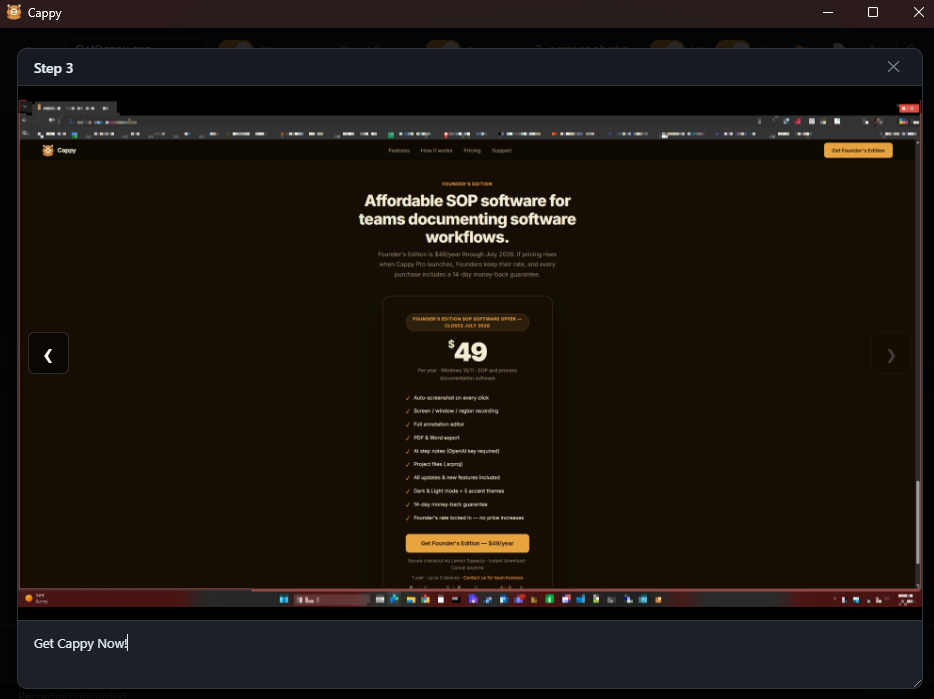
Founder's Edition is $49/year through July 2026. If pricing rises when Cappy Pro launches, Founders keep their rate, and every purchase includes a 14-day money-back guarantee.
Secure checkout via Lemon Squeezy · Instant download · Cancel anytime
1 user · up to 3 devices · Contact us for team licenses
Need rollout help first? Browse the support FAQ for setup, AI, exports, refunds, and licensing.